Partner Estate Overview
Summary
The Partner Estate Overview dashboard offers a comprehensive look at WiFi engagement and performance across all customers, highlighting key trends in activation, growth, and decline.
Visualisations
- Companies With Logins: The number of companies that currently have had WiFi logins during the specified time period.
- Licensed Customers: The number of companies that currently have an active license assigned.
- Venues With Logins: The number of venues with WiFi logins during the specified time period.
- APs Currently Registered: The number of Access Points currently registered.
- Growth Leaders: The change in WiFi visits by customer, ordered based on the % increase in visits.
- Declining Customers: The change in WiFi visits by customer, ordered based on the % decrease in visits.
- Activated & Reactivated Customers: This table showcases companies that are either newly engaging with your WiFi service or reactivating after a period of inactivity. It lists each company along with their WiFi visits for the previous period (which will be zero) and the current period, allowing you to easily spot those who have just started or resumed activity.
- Companies & Venues With Logins: A bar chart showing the daily number of companies and venues receiving WiFi logins.
- Total Visits & Visitors: The total number of WiFi visits and WiFi visitors displayed by date.
Filters

- Date range: Visitor WiFi login date. This filter does not apply to Licensed Customers and APs Currently Registered.
- Company Name: Name of the company belonging to this partner. Applies to all visualizations on the dashboard.
Partner Hardware
Summary
The Partner Hardware dashboard provides a comprehensive overview of the health and performance of access points across the entire customer estate, identifying inactive hardware and potential login issues.
Visualisations
- APs Currently Registered: The number of Access Points currently registered.
- APs Added: The number of APs added during the specified period.
- APs With Logins: The number of APs with WiFi logins during the specified time period.
- APs with no logins in the past 7 days (active in past year): The number of Access Points without any logins in the past 7 days, that have had logins in the 365 days prior.
- Authentication Rate Comparison: A comparison of the authentication rate across companies, including benchmark values taken from across the estate. Companies with an authentication rate of 0% and fewer than 100 authentication attempts during the selected time frame are excluded from the benchmark calculations.
- Daily APs With Logins: The number of Access Points registering logins shown on a daily basis.
- Total Visits & Visitors: The total number of WiFi visits and WiFi visitors displayed by date.
- Companies With No APs: A list of customers with no APs registered.
- AP Potential Issues By Company: A table that displays the number of APs for each company where the daily average logins has dropped by 50% or more over the past 7 days compared to the prior year.
- AP Logins (daily avg, last 12 months): The average number of authenticated logins per day over the past 12 months.
- AP Logins (daily avg, last 30 days): The average number of authenticated logins per day over the past 30 days.
- AP Logins (daily avg, last 7 days): The average number of authenticated logins per day over the past 7 days.
- AP Login Rate Change (%): The percentage difference between the 7-day and 12-month daily login averages, indicating potential issues if the venue had logins in the last 12 months but a 7-day average of 0. This table helps you assess the login health and consistency of each venue over both a long-term and short-term period.
Filters

- Date range: Visitor WiFi login date. This filter does not apply to APs Currently Registered, APs With No Logins In 7 Days (Active in Past Year), Companies With No APs, AP Potential Issues by company or AP Potential Issues.
- Company Name: Name of the company belonging to this partner. Applies to all visualizations on the dashboard.
Partner Landing Page
Summary
The Partner Landing Page provides a high-level summary of WiFi usage across all customer venues, highlighting key visitor metrics, venue activity, and performance rankings to give an immediate overview of the entire estate.
Visualisations
- Unique visitors: The total number of unique visitors who authenticated with the WiFi network.
- Visitors yesterday: The number of WiFi visitors that connected to the network yesterday.
- Venues with logins: The number of venues with WiFi logins during the specified time period.
- Venues with no logins in the past 7 days (active in past year): The number of venues without any logins in the past 7 days, that have had logins in the 365 days prior.
- Venue map: A map showing the location of all venues with WiFi Logins during the specified period.
- Most popular venues: Ranks your top 10 venues based on the total number of visitors each venue received during the selected time period.
- Least popular venues: Ranks your 10 lowest-performing venues based on the total number of visits each venue received during the selected time period. Only venues with at least 1 visit during the selected time period are shown.
Filters
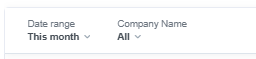
- Date range: Visitor WiFi login date, applies to all visualizations on the dashboard.
- Company Name: Name of the company belonging to this partner. Applies to all visualizations on the dashboard.
Partner Network Operations
Summary
The Partner Network Operations dashboard monitors login activity and network health across the entire customer estate, highlighting venues with potential issues such as inactivity, significant login drops, or poor performance.
Visualisations
- # Of Logins: The total number of authenticated visits to the WiFi network.
- Companies With Logins: The number of venues with WiFi logins during the specified time period.
- Companies With No Logins In 7 Days (Active In Past Year): The number of companies without any logins in the past 7 days that have had logins in the 365 days prior.
- Companies With Potential Issues: The number of companies that have seen a significant drop in logins over the past 30 days compared to the prior 12 months.
- Total Venues With Download Speed Below 1 Mbps: The number of WiFi venues with an average download speed of 1 Mbps or lower.
- Venues With Logins: The number of venues with WiFi logins during the specified time period.
- Venues With No Logins In 7 Days (Active In Past Year): The number of venues without any logins in the past 7 days, that have had logins in the 365 days prior.
- Venues With Potential Issues: The number of venues that have seen a significant drop in logins over the past 30 days compared to the prior 12 months.
- Daily WiFi Volume: This chart displays two key metrics for each day within the selected time period:
- Total WiFi Logins (Column Chart, Left Axis): The aggregate number of authenticated WiFi logins across all venues.
- Total WiFi Visitors (Column Chart, Left Axis): The aggregate number of authenticated WiFi visitors across all venues.
- Number of Active Venues (Line Chart, Right Axis): The count of unique venues that had at least one authenticated WiFi login. By comparing these metrics, you can understand the relationship between overall WiFi usage and the number of venues contributing to that usage on a daily basis. This chart helps you identify trends, peak usage days, and the breadth of WiFi engagement across your venues.
- Potential Issues: A table that displays three key metrics for each venue:
- Logins (daily avg, last 12 months): The average number of authenticated logins per day over the past 12 months.
- Logins (daily avg, last 30 days): The average number of authenticated logins per day over the past 30 days.
- Logins (daily avg, last 7 days): The average number of authenticated logins per day over the past 7 days.
- Potential Issues: The percentage difference between the 7-day and 12-month daily login averages, indicating potential issues if the venue had logins in the last 12 months but a 7-day average of 0. This table helps you assess the login health and consistency of each venue over both a long-term and short-term period.
Equivalent metrics for Authentication rate are also provided.
Filters

- Date range: Visitor WiFi login date. This filter applies to the following visualisations:
- # Of Logins
- Companies With Logins
- Total Venues With Download Speed Below 1 Mbps
- Venues With Logins
- Daily WiFi Volume
- Venues With Download Speed Below 1 Mbps
- Company Name: Name of the company belonging to this partner. Applies to all visualizations on the dashboard.
- Venue Name: Name of the venue belonging to this partner (and company if filter applied). Applies to all visualizations on the dashboard.
Partner Usage
Summary
Partner Usage dashboard provides a holistic view of customer engagement by tracking the adoption of key platform features, including access journeys, marketing tools, and paid WiFi, while also monitoring platform login activity and calculating an overall feature adoption score for each company.
Visualisations
- Published Access Journeys: The number of access journeys that have been published.
- Splash Pages On Published Access Journeys: The number of splash pages that are live on published access journeys.
- Custom HTML Splash Pages: The number of published custom HTML splash pages.
- Access Journey Features By Company: This table shows the number of published access journeys, splash pages, custom html splash pages, and days since the last splash page update by company.
- Companies Not Using Custom HTML Splash Pages: The table lists all the companies without a custom HTML splash page set up.
- Companies Without Splash Pages At Venue Level: This table details the companies who don't have splash pages set per venue. This means they are either controlled at the company or even partner/whitelabel level.
- Splash Pages By Set-up Level: The number of splash pages that have been set up under the partner, company, group and venue levels.
- Marketing Opt-In Rate: The percentage of unique visitors who have opted in to marketing communications compared to the total unique visitors.
- Companies With Published Surveys: The number of companies with published surveys that belong to the partner.
- Published Net Promoter Score Surveys: The number of published Net Promoter Score (NPS) surveys.
- Marketing Opt-Ins: The number of unique users who have opted-in to receive marketing communications.
- Companies With No Responses In Last 30 Days: The number of companies with published surveys that have not had any responses in the last 30 days but did have responses in the last 365 days.
- Net Promoter Score Survey Responses: The number of Net Promoter Score Survey Responses for the dashboard filters.
- Companies With Published Surveys (Table): A table showing the number of surveys published that have responses, the total responses, and the response rate by company.
- Marketing Opt-In Rate By Company: The percentage of unique visitors who have opted in to marketing communications compared to the total unique visitors.
- Companies With Net Promote Score Surveys And Responses: The number of published Net Promoter Score (NPS) surveys by company.
- Active Platform Users: The number of platform users that have not been deleted for the selected filters.
- Platform Logins: The number of platform logins during the filtered date period for this partner's companies and venues.
- Platform User Logins: The number of platform logins.
- Top 10 Platform Users: A table showing the top 10 users with the most logins during the specified time period.
- Top 10 Trending Platform Logins: A month-by-month view for the top 10 customers by platform logins.
- Platform Login Growth Leaders: A table showing the platform logins for the current time period, the previous time period, and the percentage change. The table is ordered to show the biggest percentage change first.
- Companies With No Platform Logins: A list of customers with WiFi logins but no platform user logins.
- Companies With Paid WiFi Revenue: The number of companies with paid WiFi revenue.
- Paid WiFi revenue: Total paid WiFi revenue from processed transactions, including those that have subsequently been refunded.
- Top 10 Paid WiFi Companies By Revenue: The top 10 companies by paid WiFi revenue for the selected date range.
- Platform Feature Adoption: A table showing the total platform feature adoption score by company, and the breakdown of the feature adoption that contributes to the score. This includes:
- Platform logins in the past 7 days,
- More than 1 access journey published,
- 1 or more Splashpage published at company level,
- 1 or more Splashpage published at group / venue level,
- 1 or more Custom HTML splashpage published,
- 1 or more surveys published with responses,
- 1 or more NPS surveys published,
- Receiving revenue from paid wifi.
Filters

- Date range:
- Visitor WiFi login date applies to:
- Marketing Opt-in Rate
- Marketing Opt-ins
- Marketing Opt-in Rate by Company
- Top 10 Companies By Revenue
- Transaction Date applies to:
- Companies With Paid WiFi Revenue
- Paid WiFi Revenue
- Platform login date applies to:
- Active Platform Users
- Platform Logins
- Top 10 Platform Users
- Top 10 Trending Platform Logins
- Platform Login Growth Leaders
- Visitor WiFi login date applies to:
- Company Name: Name of the company belonging to this partner. Applies to all visualizations on the dashboard.

 Free Guest WiFi
 Purple App
 SecurePass
 Splash Access